
People are now managed in one place, under Organisation → Users in the settings. Search everyone in the organisation, filter by workspace and open a person to see their access type and, for each workspace, what they can do there and where that access comes from. Invitations belong to the organisation and list every workspace they give access to. Workspace admins manage the people of their own workspaces on the same page.
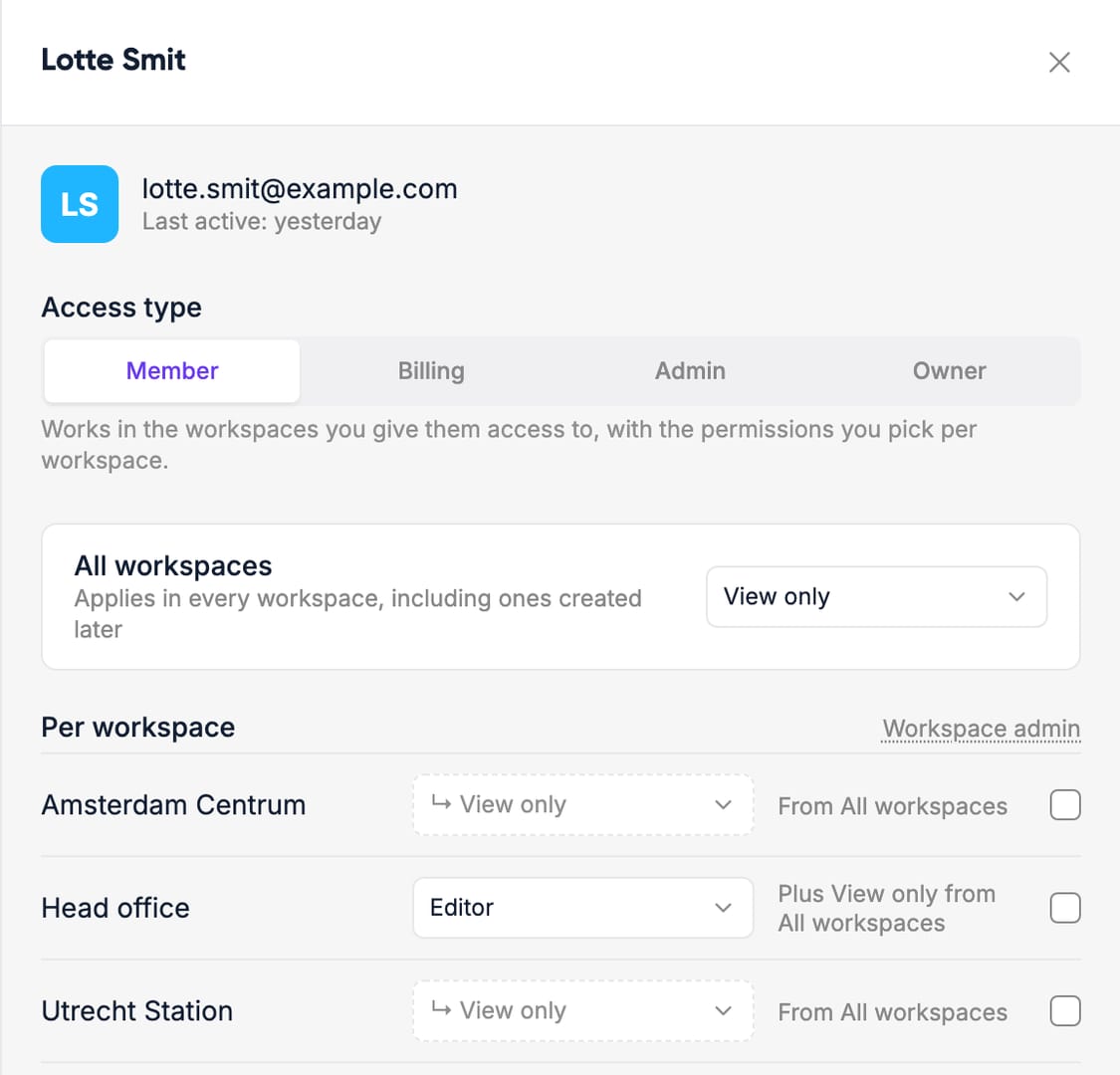
Workspace groups have become organisation Roles: named sets of permissions you give people per workspace. Every organisation starts with View only, Editor and Full access.
The app now shows each person only the menus and actions their role allows. Where something isn't available, it tells you which workspace admin to ask. A page you can view but not edit opens as a preview, and a playlist you can't publish stays a draft until a workspace admin publishes it.